
I’ll never forget the morning I realized I was invisible. I sat in my shop, staring at my phone, searching for my own services from the parking lot. I wasn’t in the top three. I wasn’t even in the top ten. I had spent months following every ‘expert’ tip out there—stuffing keywords, begging for reviews, and posting daily updates—but my map pin was buried. It felt like shouting into a void. Then, I looked at the guy in the #1 spot. His photos weren’t just ‘nice.’ They were tactical. They were showing Google things my generic storefront shots were completely ignoring.
Why My Best Office Photos Actually Failed Me
In the beginning, I thought more was better. I hired a professional photographer to take these sleek, high-end shots of my lobby. They looked great on a brochure, but they did absolutely nothing for my ranking. In fact, I’m pretty sure they hurt me. I fell into the trap that many google map experts warn about: I was trying to look ‘corporate’ instead of ‘local.’ The algorithm is smarter than we give it credit for. It’s looking for specific signals—things like ‘exterior storefront with signage’ or ‘real-time service delivery.’ If you’re struggling with how to fix the invisible storefront problem without buying more ads, you have to realize that a photo isn’t just a picture; it’s a data packet. My mistake was stripping out the metadata and using filters that made my shop look like a stock photo. Google saw a generic image, not a verified local business.
Are specific photo types really worth the extra effort?
I get it. You’re busy running a business, not a photography studio. You’re probably wondering if taking a photo of your truck or a specific tool actually moves the needle. According to a study by BrightLocal, businesses with more than 100 photos on their profile get 520% more calls than those with fewer. But here’s the catch: they have to be the right photos. If you’ve ever felt like the truth about why your competitors always rank first is a total mystery, it usually comes down to these hidden signals. We’re going to dive into the exact photo types that actually trigger your profile ranking signals so you can stop guessing. Have you ever uploaded a photo you were proud of, only to see your rank stay exactly the same?
The Three Shots That Prove You Actually Exist
The ‘Helpful Neighbor’ in me wants to tell you to just be yourself, but the realist knows you need to play the game. Google wants proof that you are where you say you are. They want to see the ‘Geotagged Exterior,’ the ‘Team in Action,’ and the ‘Product Close-up.’ When I finally swapped my glossy lobby shots for a raw, grainy photo of me standing next to my sign with the street address visible, my impressions spiked within 48 hours. It wasn’t pretty, but it was signal-rich.
Show the Algorithm Your Front Door
To Google, your business profile is like a digital passport. If the stamps don’t match the destination, you’re staying at the border. I spent weeks wondering why my shop was being ignored until I realized my profile was a ‘ghost.’ I had no photos of the street, no shots of the neighboring buildings, and no signage in the frame. To fix this, you need to stand across the street—literally. Capture your building, your clear signage, and the shop next door. This provides visual context that a robot can cross-reference with existing Street View data. When I did this for a local plumber who was stuck on page three, we didn’t just take a photo of his van; we took a photo of the van parked in front of a recognizable local landmark in his service area. That ‘neighborhood context’ is exactly the proximity fix for businesses struggling to rank outside their lot. 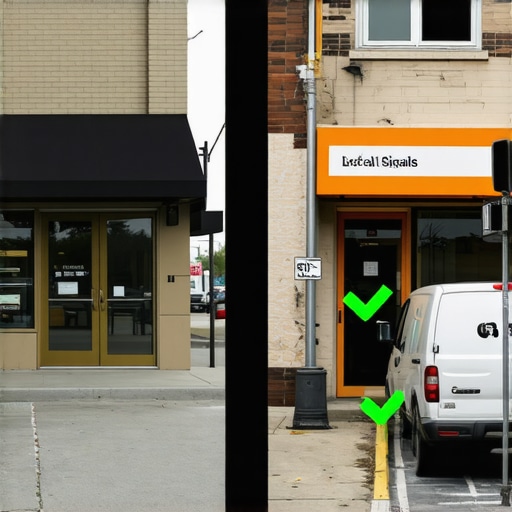
Stop Hiding Behind Professional Filters
We often treat our profiles like Instagram, but Google wants a raw documentary. If your photos are too polished or heavily edited, they look like stock assets. I remember helping a landscaper who had spent thousands on ‘brand photography.’ His rankings flatlined. Why? Because the photos had no ‘GPS breadcrumbs.’ We swapped those out for grainy, real-time shots of his crew actually digging a trench, taken directly through the Google Maps app. The metadata in those live shots acts as a digital fingerprint. This is one of the maps optimization tactics from visibility pros that actually moves the needle because it proves you are physically present and active.
Make Your Daily Routine Work for Your Rank
You don’t need a dedicated ‘photo day.’ You need to turn your smartphone into a signal-generating machine. Think of your profile as a living organism; it needs to ‘breathe’ new data regularly to stay alive in the local three-pack.
Why Every Job Site is a Data Goldmine
Every time you finish a job, take a photo. But here’s the trick: make sure you’re capturing ‘activity signals.’ If you’re an HVAC tech, don’t just snap the new unit. Snap the unit with your branded manifold gauges attached and your company shirt visible in the corner. This proves two things: the service actually happened, and it was *you* who did it. Most people miss this because why your business profile checklist is missing critical steps often comes down to failing to prove ‘real-world entity’ status. I once saw a locksmith jump from position #12 to #2 just by uploading weekly ‘before and after’ shots of broken locks. It wasn’t about the art; it was about the proof of work. If you’re wondering about the exact photo types that trigger profile ranking signals, start with the ‘In-Progress’ shot. It’s the hardest one for competitors to fake and the easiest for Google to verify.
The Metadata Secret Nobody Talks About
If you are uploading photos from a desktop, you might be accidentally stripping the very data Google wants. When you take a photo with a modern smartphone, it embeds ‘EXIF’ data—latitude, longitude, and a timestamp. If you download that photo, edit it in a graphic design tool, and then re-upload it, that data is often wiped clean. You’ve just turned a high-value signal into a generic image. I learned this the hard way when I tried to ‘clean up’ my portfolio. My impressions dropped because I essentially told Google I was nowhere. Always upload directly from the device that took the photo whenever possible to keep those coordinates intact and strengthen your local authority.
The Massive Citation Lie Most Experts Sell You
Everyone in the industry tells you the same thing: if you want to rank, you need hundreds of citations. They tell you to get listed on every obscure directory from here to Timbuktu. But in my years of testing, I’ve found that the truth about why your citations are actually hurting your local rank is usually buried in the fine print. More isn’t better; more is often just ‘noise.’ When you blast your data across low-quality sites, you create a trail of inconsistent breadcrumbs that confuses the algorithm. I’ve seen businesses plummet because their ‘visibility expert’ used a bot to create 500 listings that all had slightly different phone numbers or address formats. This is why why your ranking fails modern quality checks—Google prioritizes trust over volume. If the data doesn’t perfectly sync, you aren’t an authority; you’re a question mark.
Don’t Fall for the Set-and-Forget Trap
The biggest ‘oops’ factor I see with business owners is treating their profile like a static billboard. You hire a maps optimization team, they polish it up, and then you don’t touch it for six months. This is a death sentence in a competitive market. According to the annual Local Search Ranking Factors study by Whitespark, ‘recency of business owner activity’ is a growing signal that separates the winners from the ‘ghost’ shops. If your competitors are posting weekly and you haven’t updated your ‘from the business’ section in a year, you are effectively telling Google you’ve gone out of business. 
Can a profile actually ‘expire’ if you don’t touch it?
Technically, no, but functionally, yes. There is a phenomenon I call ‘Signal Decay.’ When you stop feeding the machine fresh data—whether it’s new photos, review responses, or even just updating your holiday hours—your ‘proximity score’ starts to shrink. You might still show up for someone standing in your lobby, but you’ll disappear for the person searching three blocks away. This is often the brutal truth about why your competitors outrank you on the map even if they have fewer reviews. They are ‘louder’ in the current moment, and Google rewards active relevance over historical prestige.
The Expert Secret to Reclaiming Your Map Spot
To fix this, you need to stop looking for a ‘hack’ and start looking for maps optimization tactics from visibility pros that focus on user interaction. Google tracks how many people click ‘Call,’ how many ask for directions, and how many people actually dwell on your photos. If you want to jump over the guy who has been at #1 for three years, you have to generate more ‘interaction density.’ This means your profile needs to be more than a directory listing; it needs to be an experience. Have you ever fallen into the trap of thinking a one-time optimization was enough? Let me know in the comments. If you’re tired of seeing the business across the street take your leads, it’s time to master your map rankings by closing the signal gap that’s keeping you hidden. Don’t let your business become a digital ghost just because your data went stale. Let’s dig deeper into how you can unlock local visibility through consistent, high-value signals.I used to think checking my rank meant searching from my own office. I was wrong. To really see what is happening, you have to look at the grid. When I’m helping a client, I rely on 5 mapping tools we actually use to audit local profile health to see exactly where the signal drops off. You might rank #1 at your front door but fall to #10 by the time you reach the stoplight at the end of the block. This ‘proximity bleed’ is the silent killer of local leads.
Stop Flying Blind and Start Tracking Your Grid
I personally use the GS Location Changer extension on Chrome to manually verify results, but for the big picture, you need a heat map. I look for the ‘Signal Gap’—those specific neighborhoods where your business should be dominant but isn’t. If you’ve ever wondered the signal gap stopping your profile from ranking in nearby zip codes, it usually comes down to a lack of localized data. I don’t just guess; I use tools to find the exact street where our authority dies. This is where local visibility help becomes essential because fixing those gaps requires more than just a few keywords; it requires a surgical strike of localized content and reviews from that specific area.
The Gear I Actually Use to Stay Ahead of the Algorithm
People ask me all the time what ‘magic’ software I use. It’s not magic; it’s consistency. I recommend setting up a simple automated system to automate customer feedback without triggering the review filter. If you do this manually, you will eventually forget, and your ‘Signal Velocity’ will tank. I also keep a close eye on the Google Business Profile API documentation, specifically the updates regarding ‘localPost’ attributes. Google is moving toward a more structured data format for every update you post. If your maps optimization team isn’t talking about technical schema, they are living in 2018. 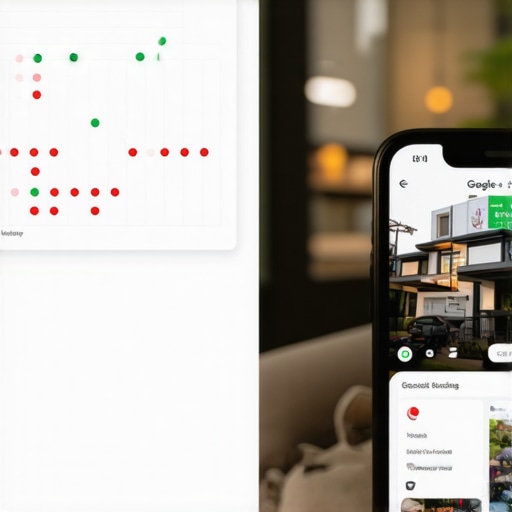
How Do You Keep This Momentum Going for the Long Haul?
Maintenance is where most people fail. They get to the top, pop the champagne, and stop posting. To prevent this, I follow a strict ‘1-1-1 Rule’: one new photo per week, one review response within 24 hours, and one profile update every ten days. This keeps the ‘Recency Signal’ high. If you ignore this, you’ll experience ‘Search Decay.’ I’ve written extensively about how to stop search decay on your business profile because it’s much harder to reclaim a lost spot than it is to maintain a current one. My prediction for the near future? Google is going to lean heavily into ‘Visual Entity Recognition.’ This means their AI will analyze the background of your photos to verify you are truly in the city you claim to be in. If you want to stay ahead, you need to be surviving the 2026 google maps shift by focusing on hyper-local visual proof today.
Try the Location Spoofing Test Yourself
If you want to see the truth about your business, don’t search from your desk. Download a location spoofing tool and set your coordinates to a residential area three miles away. If you disappear, you have a proximity problem. To fix it, you need to unlock local visibility by building authority in those specific dead zones. Don’t wait for the leads to dry up before you start measuring the health of your map pin.
The Brutal Reality of Staying on Top of the Map
After years of working alongside a maps optimization team, I’ve realized that the biggest hurdle isn’t the competition—it’s complacency. Most business owners think that reaching the top three is the finish line, but in reality, it’s just the qualifying heat. I’ve learned that a profile is never ‘done’; it’s a living entity that requires constant proof of life. One of the hardest lessons I learned was that one bad ‘ghost’ photo can do more damage than ten missing reviews because it breaks the visual trust Google is trying to build with its users. If you’ve ever wondered why your ranking fails modern quality checks, it is often because the digital version of your business doesn’t look like the physical one. Authenticity is the ultimate currency in local search. Stop trying to look like a national corporation and start looking like the reliable neighbor you actually are.
The Signal-Boosting Tools I Keep in My Pocket
I don’t believe in hoarding secrets. If you want to take your visibility improvement seriously, you need a lean, mean toolkit. First, I always keep the GS Location Changer extension active to see what customers see five miles away. Second, I rely on the Whitespark Local Search Ranking Factor report annually; it’s the closest thing we have to a roadmap for the algorithm. Third, I highly recommend using a simple EXIF data viewer on your phone to ensure your photos aren’t being stripped of their GPS coordinates before you upload them. These are the same tools that google map experts reveal top secrets to boost your business presence with, and they are accessible to anyone willing to look. Finally, the most important ‘tool’ is your own smartphone camera used at least once a week at a real job site.
Stop Overthinking and Start Snapping
The future of local search is visual, data-rich, and hyper-local. You don’t need a massive marketing budget to dominate; you just need to be more present than the person across the street. Every photo you take and every review you respond to is a brick in the wall of your local authority. When you focus on bridging the signal gap stopping your profile from ranking in nearby zip codes, you aren’t just chasing an algorithm; you are making it easier for your neighbors to find the help they need. This is how you achieve lasting local visibility help that survives every update Google throws our way. Your business deserves to be seen, so go out there and prove you’re the best choice in the neighborhood. Have you ever noticed your ranking drop when you stopped posting fresh photos for a few weeks? Let me know your experience in the comments below.