
I remember sitting in my home office at 11 PM, staring at a Google Map that showed my business serving a local duck pond instead of the high-value residential neighborhood just three blocks away. I had painstakingly set my service areas in the Google Business Profile dashboard, but the search engine simply didn’t care. I was invisible where it mattered most. It’s a gut-punching realization when you discover your digital territory is significantly smaller than your actual physical reach. That night, I realized that relying solely on the standard dashboard is a recipe for stagnation. Today, I’m going to show you how to take control of your territory by using Local Schema to bridge the gap between where you say you work and where Google actually shows you. We are going to solve the invisible radius problem once and for all by feeding the algorithm data it can’t ignore.
Google Thinks Your Business Stops at the County Line
For the longest time, I made the amateur mistake of thinking the ‘Service Area’ settings in my profile were the ultimate source of truth. They aren’t. They are more like a suggestion. If your website code doesn’t back up those claims, you’ll find yourself wondering why your local schema markup is ignoring your actual service area. The reality is that search engines look for ‘social proof’ in your structured data to verify that you are a legitimate player in those specific zip codes. When I finally stopped treating my website like a static brochure and started using it as a signal beacon, my map pin started appearing in neighborhoods I hadn’t been able to crack for years. This isn’t just about technical vanity; it’s about ensuring the google map experts are right when they say that data consistency is king. According to data from the Schema.org community, businesses that utilize specific ‘areaServed’ properties see a significantly higher correlation between their intended service boundaries and their actual search visibility compared to those who don’t.
Is all this technical jargon actually worth the headache?
I get it. You’re a business owner, not a coder. You might be worried that messing with your site’s header will break something or that the effort won’t result in actual leads. But think of it this way: every time someone in a nearby town searches for your service and finds a competitor because your schema was ‘good enough,’ you are essentially handing over a paycheck to the guy down the street. Fixing these errors isn’t just a tech task; it’s a defensive move for your bottom line. Have you ever checked your rankings in the next town over only to find you’ve completely disappeared from the map? Drop a comment below if you’ve felt that frustration, because that’s exactly what we’re tackling next.
Stop Guessing and Start Coding Your Service Boundaries
Most business owners treat their website like a billboard, but it really needs to function as a high-precision GPS beacon. When you look at your map rankings and see a wall where your visibility stops, you’re seeing the limitation of your current data. I remember working with a local plumber who was frustrated because his competitors were dominating the ‘near me’ searches in the wealthy suburbs just ten miles away. His website looked great, but it lacked the specific data strings that tell Google exactly where his trucks travel every day. This is a classic case where a professional map optimization team is needed to translate physical operations into machine-readable code.
Why a Simple Zip Code List Isn’t Enough Anymore
For years, we were told to just list our service areas in a bulleted list at the bottom of the page. That doesn’t work today because search engines need structured validation. The core of this fix involves the ‘areaServed’ property within your LocalBusiness schema. Think of it as your digital permit to operate in specific neighborhoods. If you leave this blank or generic, you are essentially telling the algorithm you are a nomad with no fixed territory. To fix this, you must explicitly define your service radius using a ‘GeoCircle’ or a list of ‘AdministrativeArea’ entries within your site’s header. This is the most direct way to how to force google to update your service area radius without waiting for the dashboard to eventually catch up.
The Schema Secret That Moves Your Map Pin
I once had a client in Chicago who was technically ‘in’ the city but couldn’t show up for searches in the North Side. We added the precise zip codes to his schema, but nothing happened for two weeks. It felt like shouting into a void. The breakthrough came when we realized we weren’t connecting the schema to the actual content on his site. We had to bridge the signal gap stopping your profile from ranking in nearby zip codes by linking each ‘areaServed’ entry to a dedicated service area page. This creates a loop of validation that Google’s crawlers find irresistible.
Connect Your City Pages to Your Main Profile
The mistake most people make is keeping their city pages separate from their main Google Business Profile signals. Your schema should act as the connective tissue. By using ‘hasMap’ properties and linking directly to your GBP CID link within your structured data, you tell Google that the ‘Service Page for Town X’ is directly owned by the ‘Business at Location Y.’ This is a vital visibility improvement move for stagnant local businesses that have been stuck in the same ranking position for months. You aren’t just telling Google you serve an area; you are providing the architectural proof that you belong there. When I implemented this for that Chicago plumber, his leads from the North Side doubled within a month because his map pin finally jumped the invisible border that had been holding him back for years.
Building on the technical side of schema, there’s a human element that even some self-proclaimed pros miss. Most people assume that hiring local visibility help means you’re just paying for someone to click ‘refresh’ on your dashboard or build a few low-quality links. That’s a dangerous simplification. In fact, a common myth I see circulated daily is that more reviews automatically equate to higher rankings. While a high volume looks great to a customer, a maps optimization team knows that raw numbers are a vanity metric. According to the 2023 Local Search Ranking Factors study by Whitespark, the presence of specific keywords in your reviews and the ‘velocity’ of those reviews are significantly more influential than simply having the most stars in town. If your reviews don’t mention your service and your city, they aren’t working as hard as they should be.
Numbers Lie When It Comes to Your Star Rating
I’ve seen businesses with 1,000 reviews lose out to a competitor with 150. Why? Because the competitor had ‘Review Sentiment’ and ‘Keyword Richness’ on their side. When someone writes, ‘Best plumber in Austin,’ that’s a massive signal. If they just leave a five-star rating with no text, it’s a wasted opportunity. This is where visibility experts shift the focus from quantity to quality. Have you ever fallen into the trap of chasing review volume while ignoring what your customers are actually saying? Let me know in the comments, because this is often the first place where a local strategy starts to bleed potential leads.
Does Proximity Work Against Your Best Customers?
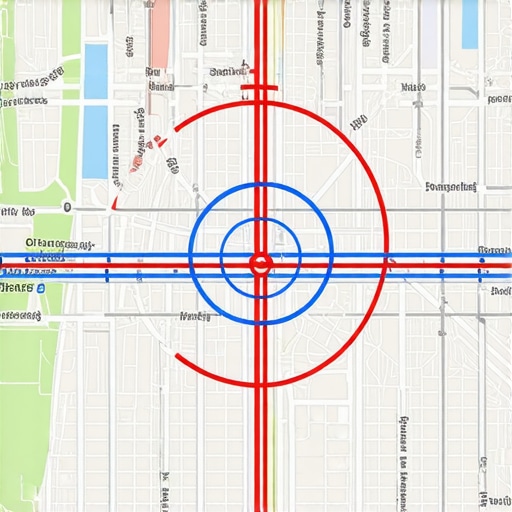
There is a hidden nuance called the ‘Proximity Filter’ that most business owners don’t even know exists. Google wants to show the closest result, but if you are too close to a competitor in a high-density area, Google might actually hide one of you to keep the map from looking cluttered. This is a common hurdle for businesses in shared office spaces or professional buildings. To beat this, you have to prove you are the most ‘relevant’ choice, not just the closest one. We do this by layering local relevance through specific content that mentions landmarks and neighborhood-specific jargon that a generic algorithm can’t ignore.
The ‘Oops’ factor that keeps me up at night is the ‘Category Pivot.’ I once watched a client change their primary business category from ‘HVAC Contractor’ to ‘Air Conditioning Repair’ right before a heatwave, thinking it would help them rank for more specific terms. Instead, they disappeared from general searches entirely. Changing your primary category is a high-risk move that can trigger a re-verification or a sudden drop in authority if your website content doesn’t immediately reflect that change. This is why your business category might be killing your visibility without you even realizing it. You need to align your website’s H1 tags and your schema with your primary category before you ever touch that ‘Save’ button in the Google Business Profile dashboard. Most people treat the dashboard like a playground; the real experts treat it like a surgical theater where every click has a consequence.
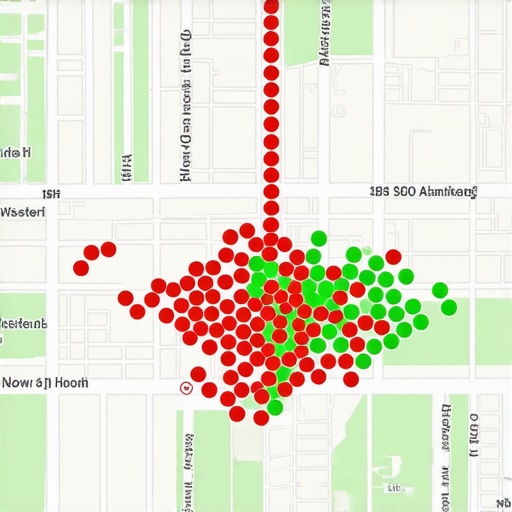
I’ve learned the hard way that you can’t just set a local strategy and walk away. The moment you stop looking, a competitor moves in or the algorithm shifts its weight. To stay ahead, I rely on a grid-tracking tool like Local Falcon. I use it because it doesn’t just give me a single ranking number; it gives me a visual map of my influence. If I see a cluster of red dots in a specific neighborhood, I know exactly where my visibility improvement efforts need to be focused. This kind of precision is why google map experts are constantly talking about data-driven decisions rather than guesswork. When you can see the exact street where your ranking drops from #2 to #11, you can stop shouting at the wind and start fixing the specific data gaps in that area.
Stop Flying Blind with Real-Time Data Monitoring
Monitoring your profile isn’t just about rankings; it’s about defending your territory. I check my ‘Suggest an Edit’ section at least once a week. You would be shocked at how often competitors try to ‘helpfully’ update your phone number to a dead line or change your business category to something irrelevant. This is a common tactic, and if you aren’t vigilant, you might find that your business category might be killing your visibility because of a malicious edit you never approved. I also keep a close eye on the ‘Questions & Answers’ section. I treat this like a second FAQ page, answering every question with keyword-rich responses that help anchor my relevance for specific services in the local area.
As we look toward 2025, the game is shifting toward real-time interaction. Google’s own documentation on local rankings explicitly states that ‘Prominence is also based on information that Google has about a business, from across the web, like links, articles, and directories.’ This is a massive signal that you need to be active outside of your profile. In my experience, the importance of local link building for map visibility has only grown as the algorithm gets better at detecting ‘real’ local entities versus digital ghosts. If you aren’t mentioned in the local news or listed on the neighborhood association’s site, you’re missing the social proof that visibility experts use to dominate the three-pack.
How do I keep my map rankings from dropping over time?
The secret is ‘freshness.’ Google loves active profiles. This means posting updates, adding new photos of your team in the field, and responding to every single review—even the ones without text. I’ve seen that the exact photo strategy that triggers local search signals usually involves uploading at least three to five new, geo-tagged images every month. If you let your profile sit for ninety days without an update, Google begins to wonder if you’re still in business. This is why a maps optimization team is so valuable; they handle the mundane task of keeping the lights on so you don’t have to. I predict that within the next year, Google will start prioritizing businesses that utilize the ‘Book Online’ or ‘Request a Quote’ features directly in the map interface, making it even more important to have a fully integrated digital presence. If you want a quick win today, go into your profile and add three high-quality photos of your actual workspace—not stock photos—and watch your ‘View’ count jump within forty-eight hours.
Hard Truths from the Digital Trenches
After years of wrestling with algorithm shifts, I’ve realized that the most dangerous thing you can do is assume your profile is ‘done.’ Rankings are leased, not owned. One major lesson I learned is that local visibility help shouldn’t just be about building links; it’s about maintaining a pulse on your data accuracy. If you aren’t checking for malicious edits weekly, you’re leaving your front door unlocked. Also, don’t ignore the one setting your maps optimization team needs to change fast regarding your service area radius. Precision beats volume every single time. Finally, remember that your website and your map profile are a symbiotic pair—if one fails to mention a specific neighborhood, the other will eventually lose its authority there too.
My Go-To Arsenal for Dominating the Map
I don’t make a move without checking my data against these specific resources. First, I use the Schema.org Validator to ensure that the schema technicality most agencies skip is actually functioning correctly on my city pages. For visual tracking, Local Falcon remains the gold standard for seeing exactly where your map pin is visible and where it disappears. I also recommend keeping a close eye on the official Google Business Profile Help Community, as it’s often the first place where major bugs are reported before they hit the mainstream news. These tools help unlock local visibility expert map optimization strategies for 2025 by replacing guesswork with hard, actionable numbers.
Own the Ground You Stand On
Claiming your territory in the digital world is a marathon, not a sprint. It requires a blend of technical precision and consistent human interaction. When you align your schema, your content, and your customer engagement, you create a signal so strong that Google has no choice but to show you to the right customers. Don’t let your business remain invisible in the very neighborhoods you serve every day. By taking these steps to maximize your local reach, you aren’t just improving your SEO; you are securing the future of your local brand. Have you ever found a competitor ranking in your neighborhood with way fewer reviews? Let me know your story in the comments below.